HTML2MP4 / EDITABLE MOTION
Convert HTML to video
Make your markup watchable.
Turn your HTML into a video for a website, campaign or presentation. Paste a composition or start with this editable headline animation.
Explore before signing in. New accounts get 3 free credits.
EDITABLE INPUT
See the source. Make it yours.
Load the source into the form below, change the content, and keep the animation structure. Nothing is submitted until you create a video.
View the example HTML ↗WHAT TO CUSTOMIZE
- Your headline, labels and on-screen copy
- Brand colors and the composition’s visual details
- Timing that fits the source animation and your chosen length
- 01Paste or load HTML
- 02Customize the message
- 03Convert to MP4
YOUR TURN
Bring your own source. Or borrow ours.
Edit the source or describe changes. Notes are applied during generation; the source preview shows the current code.
Pick a sample to try or tweak
Examples / Templates
Paste-your-own HTML on this page stays the primary convert path. Prefer a curated layout? The packs below open on the Templates tab / video templates with that pack selected. Credits scale with Length (≤30s = 1 · ≤60s = 2 · ≤120s = 3); there is no submit-time preview.
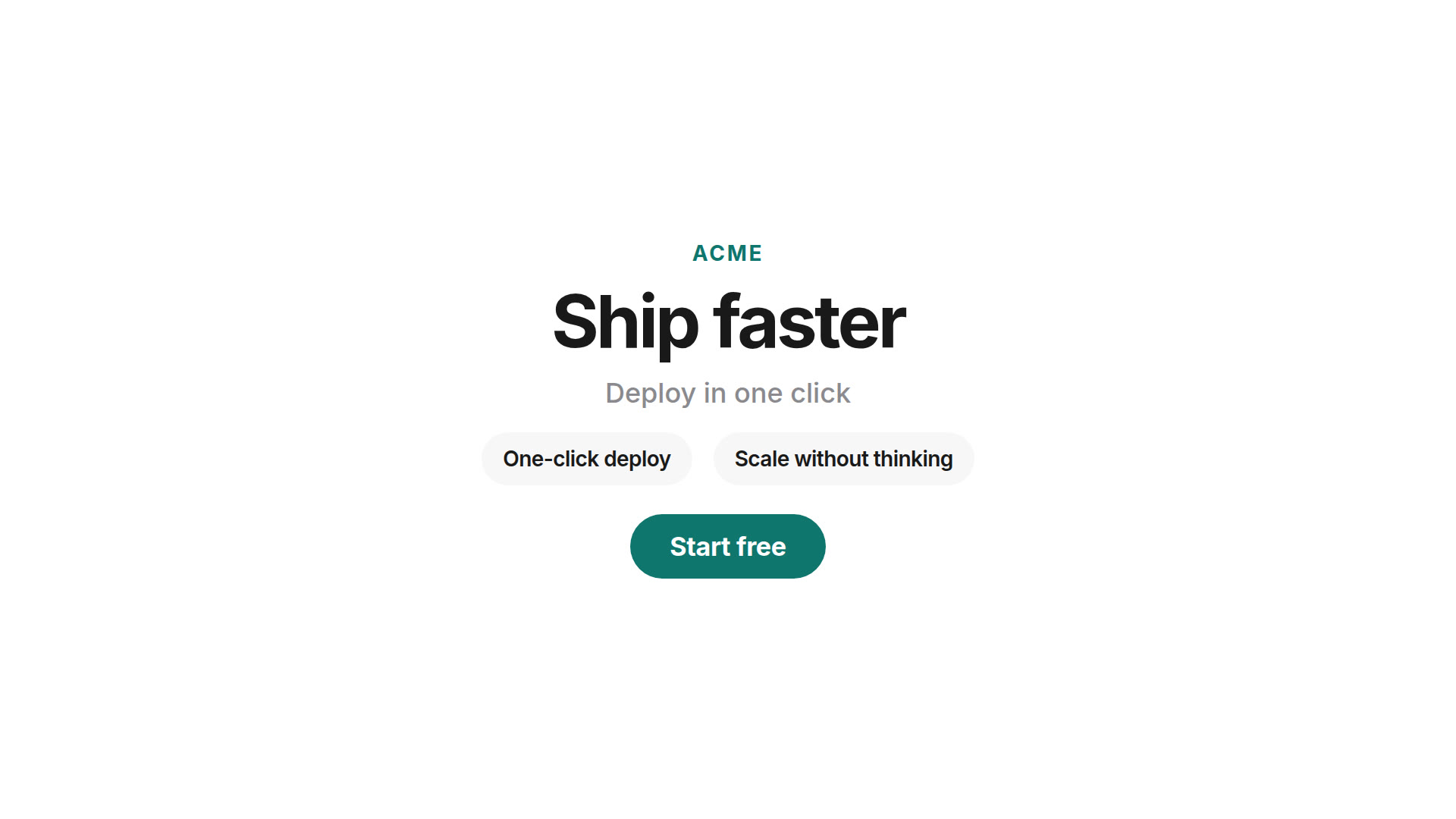 Product launchBrand, headline, feature beats, CTA — via Templates.
 Sale promoOffer, deadline, shop CTA — via Templates.
 Event inviteDate, venue, RSVP — via Templates.
More packs on Video templates. Free-form brief: Prompt to video.
How to convert HTML to video online
- Fill the form above — Sign in when you create (or the HTML form). New accounts get 3 free credits to try a render (not unlimited free usage).
- Paste your HTML — A full page or a HyperFrames composition. Optionally note changes such as “keep the design, make it 9:16.”
- Pick aspect ratio and length — About 6–30 seconds. Submit the job; when it finishes, download the H.264 MP4.
Looking for the broader methods guide (CLI, cloud, DIY)? See the sibling page HTML to MP4 online. Trying Html2MP4 without buying packs first? See HTML to MP4 online free. Engine background: what is HyperFrames?
Who this page is for
“Convert HTML to video” searchers usually already have markup — a landing block, a motion mock, or a HyperFrames file — and want an MP4 without standing up Chrome + FFmpeg locally.
- Front-end and design engineers — Turn a composition into a shareable clip for Slack, Notion or a PR.
- Marketing and growth — Ship ads and social cuts from HTML templates you already own.
- Agencies — Convert client HTML animations to MP4 without installing a render stack on every laptop.
- Indie builders — Export product UI motion for launches when the source of truth is HTML/CSS.
No HTML yet? Start from a brief with prompt to video, a live URL with website to video, or locked brand lines with brand kit video. Portfolio stills? Use showcase video.
Quick start checklist
Two hosted convert paths — paste HTML (primary on this page) or pick a template:
- Sign in at Html2MP4 (account required to run a job; new accounts get 3 free credits to try).
- Paste path: use the form above on this page (or the HTML form) → paste a full page or HyperFrames composition → optional change note → pick format and length → create.
- Template path: open a pack in Examples / Templates or Video templates → fill the short field schema → enqueue. Same engine, same credit rule.
- Wait for the job to finish, then download the MP4 from the video page.
- Credits scale with Length (≤30s = 1 · ≤60s = 2 · ≤120s = 3); there is no submit-time preview. Html2MP4 does not expose a public REST API for video jobs.
Need full local control instead? See online vs CLI, then install HyperFrames and the tutorial.
Online Html2MP4 vs local HyperFrames CLI vs DIY
Honest boundary: Html2MP4 is an independent hosted product that uses open-source HyperFrames. It is not an official HeyGen product and is not affiliated with or endorsed by HeyGen. There is no public REST API for Html2MP4 video jobs. Credits scale with Length (≤30s = 1 · ≤60s = 2 · ≤120s = 3); there is no submit-time preview.
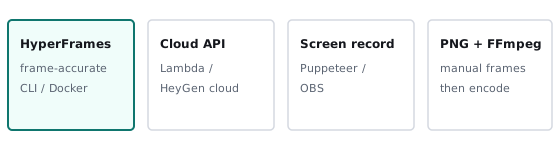
- Html2MP4 online (this page) — Paste HTML or fill a Templates pack in the browser. Workers run HyperFrames + FFmpeg for you. Best when you want to convert HTML to video without operating Node, Chrome, or FFmpeg yourself.
- Local HyperFrames CLI — Author a composition, run
npx hyperframes render. Full control on your machine; needs Node.js 22+ and FFmpeg. Setup: install. Walkthrough: tutorial. - DIY screen record — Puppeteer/Playwright video or OBS on a browser window. Fast for one-off demos; timing can drift and frames can drop — weaker for batch/CI identical pixels.
Broader methods comparison (cloud, PNG+FFmpeg detail): sibling page HTML to MP4. Alternative stacks: HyperFrames alternatives.
What you get
Each successful job returns a downloadable H.264 MP4. Before create you choose:
- Landscape 16:9 — YouTube, decks, websites.
- Square 1:1 — Feed posts.
- Portrait 4:5 — Instagram feed.
- Vertical 9:16 — Reels, Stories, Shorts, TikTok.
Credits scale with Length: ≤30s = 1, ≤60s = 2, ≤120s = 3. If the system fails to produce a video, the credits charged for that job are returned automatically. Html2MP4 is not a live timeline editor and not a raw browser screen recorder: you submit HTML, the server renders with HyperFrames, then you download.
Tips for a clean conversion
- Prefer seekable animation — HyperFrames data attributes and seekable timelines convert most reliably. See the HyperFrames tutorial.
- Paste a complete document when you can — Include styles the layout needs so the agent is not guessing missing CSS.
- Spell the destination in notes — e.g. “keep colors, export 9:16, end on the CTA.”
- Match the channel — 9:16 for Reels/Shorts; 16:9 for site embeds and YouTube.
- Honest limits — Heavy login walls and non-seekable timelines are harder. Re-run with clearer notes if a cut misses. For local CLI renders, use install HyperFrames and render troubleshooting.
Questions? Email contact@html2mp4.com.
Common questions
What does convert HTML to video mean here?
You paste HTML (a page or HyperFrames composition) on this page. Html2MP4 renders it frame-by-frame with HyperFrames and FFmpeg, then you download an H.264 MP4 — no local Node or FFmpeg install. Credits scale with Length: ≤30s = 1, ≤60s = 2, ≤120s = 3; there is no submit-time preview and no public REST API.
Is this the same as /html-to-mp4?
Same engine and same-page HTML form. Use this page for a direct conversion workflow; /html-to-mp4 explains the available methods. Both let you paste and render on the landing page after sign-in (or use / as an alternate hub).
Can I convert animated HTML (CSS/GSAP) to video?
Yes when the animation is seekable. HyperFrames compositions work best. Plain animated HTML often works; the agent can adapt it. Screen recording is a weaker alternative for batch work.
How is this different from screen recording a browser?
Frame-accurate server render keeps timing stable. Screen recording depends on machine speed and can drop frames. See the online vs CLI vs DIY section on this page.
Can I start from a template instead of pasting HTML?
Yes. Official packs include CSS text reveal, HTML feature grid, product launch, sale promo, and event invite — open them from Examples / Templates on this page or /video-templates/ (Templates tab) with that pack selected. Paste-your-own HTML in the form above remains the primary convert path. Template jobs use the same length-based credits (≤30s = 1, ≤60s = 2, ≤120s = 3) with no submit-time preview.
Do I need to sign in, and what does a credit cost?
Yes — create jobs need an account (Google or email code). New accounts get 3 free credits to try. Credits scale with Length: ≤30s = 1, ≤60s = 2, ≤120s = 3 for HTML or Templates. Failed system jobs return the credits charged. There is no unlimited free usage and no public REST API for video jobs. See Pricing for packs.
Do I need Node.js or FFmpeg on my machine?
Not for Html2MP4 hosted convert: paste HTML or fill a template in the browser and our workers render the MP4. Local HyperFrames CLI still needs Node.js 22+ and FFmpeg — see the HyperFrames install guide.
Related
- HTML to MP4 — methods guide (sibling)
- HTML to MP4 online free — try with signup credits
- No-code HTML to video — no CLI / no local install
- HTML animation to video — CSS/GSAP export
- GSAP to MP4 — seekable timeline export
- Render HTML to MP4 — frame-accurate pipeline
- Programmatic video from HTML — batch & automation
- Video templates — official packs
- HTML to MP4 homepage
- Prompt to video
- Website to video
- Pricing — credit packs
- What is HyperFrames?