HTML2MP4 / EDITABLE MOTION
GSAP to MP4
Give your timeline a play button.
Export GSAP animation as a frame-accurate MP4. Explore seekable typography, product motion and SVG paths, then customize the source.
Explore before signing in. New accounts get 3 free credits.
EDITABLE INPUT
See the source. Make it yours.
Load the source into the form below, change the content, and keep the animation structure. Nothing is submitted until you create a video.
View the example HTML ↗WHAT TO CUSTOMIZE
Change the headline and accent color. Keep the paused timeline and the eight-second composition duration.
This sample is 8 seconds, 16:9. Its source and rendered MP4 are paired.
- 01Choose a motion study
- 02Edit the GSAP source
- 03Export the timeline
YOUR TURN
Bring your own source. Or borrow ours.
Edit the source or describe changes. Notes are applied during generation; the source preview shows the current code.
Pick a sample to try or tweak
Earlier GSAP studies and layout starters
Short export from a paused + seekable GSAP timeline (registered on window.__timelines). These earlier clips combine several effects in one timeline; the collection above isolates each motion style. Choose one in Pick a sample above. There is still no dedicated GSAP official pack on the Templates tab / /video-templates/ — paste your own seekable GSAP, or use the CSS/HTML packs below as layout starters.
All packs: Video templates. Broader stack: HTML animation to video.
Longer showcase — sample-gsap-motion.v4 (~12s)
Same seekable contract, paced beats: wipe → badge → letter stagger → SVG stroke → token stagger → KPI counters → 3D cards → end hold (≥1s). Core GSAP only. Source is under samples/gsap/. Click play — not autoplay.
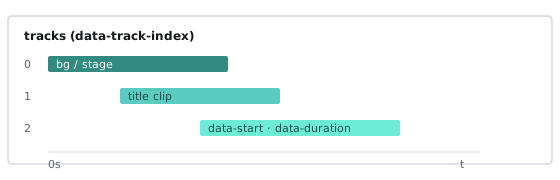
How to export GSAP to MP4
- Fill the form above — Sign in when you create. New accounts get 3 free credits to try (not unlimited free usage).
- Customize a sample — Choose an animation in Pick a sample, preview it, then click Customize. Describe your changes or edit the HTML / GSAP tab directly. Keep motion seekable: pause the timeline and expose a controllable time (for example
gsap.timeline({ paused: true })registered onwindow.__timelines, ortl.pause()thentl.time(t)). Optional notes: “use a navy background, hold final CTA 1s.” - Create your video — These samples use 16:9 and 8 seconds. Submit; when the job finishes, preview the result and download the H.264 MP4.
Broader motion stack (CSS + SVG + GSAP + HyperFrames)? See HTML animation to video. SVG → MP4 intent (Try an SVG sample): HTML animation → SVG to MP4. CSS/@keyframes first? See CSS animation to video. Pipeline details: render HTML to MP4. Seekable compositions tutorial: HyperFrames tutorial.
Why seekable timelines matter (honest limits)
People searching gsap to mp4 or export GSAP timeline to video often expect “hit record while GSAP plays.” That is the fragile path. Reliable export samples a known time on the timeline for every frame.
- Reliable path — Build a seekable timeline; pause playback; set time with
tl.time(t)(or equivalent) so each render frame is deterministic. - What we do not promise — Arbitrary
requestAnimationFrameplayback, live scrub recording, or pointer-driven demos that only look right while a human interacts. - Why it matters — Free-running playheads drop frames under CPU load; seekable scrub keeps easing and stagger consistent across exports.
HyperFrames compositions follow the same idea: seekable time drives the render. If your GSAP work is already a HyperFrames composition, the tutorial is the deepest local guide; the HTML form on this page (or /) is the zero-install path.
Who this page is for
- Motion designers — Ship GSAP hero timelines as MP4 for ads and social without rebuilding in After Effects.
- Front-end engineers — Turn existing GSAP marketing pages into shareable clips with controlled timing.
- Agencies — Deliver client GSAP animations as video with consistent frame timing across machines.
- Growth teams — Export product UI motion written in GSAP into Reels/Shorts that match the live site.
CSS-only keyframes? Prefer CSS animation to video. Broader stack overview: HTML animation to video. No animation yet? Start from a brief with prompt to video, a live URL with website to video, or brand lines with brand kit video. Engine overview: what is HyperFrames?
GSAP export vs screen recording vs CSS-first pages
Recording a browser tab while GSAP plays is the usual workaround: open the page, hit record, hope the GPU keeps up. Fine for a one-off demo; weak for batch ads and brand-consistent timing.
- Frame-accurate server render — Html2MP4 uses HyperFrames + FFmpeg so each frame samples a known time when the timeline is seekable.
- Stable aspect ratios — Choose 16:9 / 1:1 / 4:5 / 9:16 up front instead of cropping a desktop capture later.
- No “laptop speed” variance — Recording on a slow machine drops frames; seekable render does not depend on your fan noise.
- Sibling pages — CSS animation to video for @keyframes/WAAPI; HTML animation to video for the full CSS+GSAP+HyperFrames story; render HTML to MP4 for pipeline reliability.
What you get
Each successful job returns a downloadable H.264 MP4 of your GSAP-driven HTML. Before create you choose:
- Landscape 16:9 — YouTube, site embeds, decks.
- Square 1:1 — Feed posts.
- Portrait 4:5 — Instagram feed.
- Vertical 9:16 — Reels, Stories, Shorts, TikTok.
Cost is 1 credit per successful render. System failures return the credit. Html2MP4 is not a timeline NLE and not a browser recorder: you submit HTML/JS source, the server renders, you download. Packs live on Pricing — this page stays focused on GSAP export, not selling plans.
Tips for clean GSAP → MP4 exports
- Pause + scrub — Prefer
gsap.timeline({ paused: true })(and register it) ortl.pause()+tl.time(t)over free-runningtl.play()during export. - Finite durations — Timelines with a clear end beat infinite loops that never settle.
- Paste complete scripts — Missing GSAP plugins, fonts, or styles make the agent guess; include what the timeline needs.
- Declare the end state — Notes like “hold final CTA 1s” reduce awkward cutoffs mid-stagger.
- Match the channel — Design 9:16 compositions for Reels; do not stretch a 16:9 hero and hope.
- Avoid pointer-only demos — Hover and drag interactions do not play the same way in a headless frame render.
- Local CLI option — Unlimited experiments on your machine: install HyperFrames. Use the form above when you want zero local FFmpeg.
Questions? Email contact@html2mp4.com.
Common questions
What does GSAP to MP4 mean on Html2MP4?
You paste HTML that drives motion with GSAP (GreenSock) timelines or tweens. Html2MP4 renders that composition frame-by-frame into a downloadable H.264 MP4 — not a live browser screen capture of requestAnimationFrame playback.
What is the reliable way to export a GSAP timeline to video?
Use a seekable timeline: pause the timeline and set time explicitly (for example tl.pause(); tl.time(t) or an equivalent controllable currentTime) so each frame samples a known moment. Do not rely on free-running rAF scrub or recording a live playhead. On this page, pick a sample, preview it, then click Customize to edit it in the main form (it does not auto-submit).
Can Html2MP4 record any GSAP animation by screen capture?
No. We do not promise arbitrary rAF or scrub-style screen recording. Motion that cannot be seeked to a deterministic time is harder to export cleanly. Prefer paused + time(t) (or HyperFrames seekable compositions) over live playback capture.
How is this different from CSS animation to video?
Same hosted HTML → MP4 product. This page is GSAP-first (timelines, tweens, seekable scrub). CSS animation to video is @keyframes / WAAPI first. HTML animation to video covers the broader CSS + GSAP + HyperFrames stack.
How do I export GSAP to MP4 online?
Paste HTML that includes your GSAP setup (or click Try a sample for a short seekable starter), keep the timeline seekable, add notes such as aspect ratio and end state, pick length, then create. When the job finishes, download the MP4. New accounts get 3 free credits to try.
What formats and lengths can I export?
Landscape 16:9, square 1:1, portrait 4:5, and vertical 9:16, about 6–30 seconds for the HTML tab.
What if my GSAP export looks wrong after render?
Confirm the timeline is paused and seekable, paste complete scripts and styles, and note the intended end frame. For pipeline details see render HTML to MP4; for local CLI issues see HyperFrames render troubleshooting. Hosted failures return the credit; email contact@html2mp4.com if something looks wrong.
Is there an official GSAP template pack?
Not yet as a Templates pack. This page keeps sample-gsap-motion.v3 (~4.2s) and adds sample-gsap-motion.v4 (~12s wipe→badge→letter stagger→SVG stroke→tokens→KPI→3D cards→hold). The main form offers six 8-second GSAP samples with preview and code editing. Paste your own seekable GSAP, or use CSS text reveal / HTML feature grid on the Templates tab or /video-templates/ for curated non-GSAP layouts.
Related guides
- HTML animation to video — CSS/GSAP/HyperFrames
- CSS animation to video — @keyframes / WAAPI → MP4
- Render HTML to MP4 — frame-accurate export pipeline
- HyperFrames tutorial — seekable compositions
- Product demo video — templates & site → MP4
- HTML to MP4 — methods guide
- Convert HTML to video — convert intent
- What is HyperFrames?
- HyperFrames render troubleshooting
- Video templates — no dedicated GSAP pack yet
- HTML to MP4 homepage